Dolphin Dos pcb'si yapmak için bir araştırma yapayım dedim, zaten elimde Dolphin Dos 1 kartı var, ayrıca remake yapmak için Silver Dream'in mükemmel sitesi var:
http://e4aws.silverdr.com/projects/ama günümüzde c64'de oyun oynamak için 1541 disket sürücüsünü yoğun olarak kullanan kaldı mı ki onu hızlandırmak için masrafa girip bir sürü de uğraşacak çıksın diyerek vazgeçtim. Ama yine de Dolphin Dos'un kısa bir tanıtımını yapayım, belki yapmak isteyen biri çıkar =)
Dolphin Dos, 1541 ve 1541-II disket sürücülerde kullanılan paralel dos/speeder'ların en yaygını olanı ve bir efsane. Temel olarak 1541'e takılan bir add-on cart, paralel kablo ve c64'e takılan Dolphin Dos kernal rom'undan oluşuyor.
1541'e takılan add-on cart (Dolphin Dos 2):

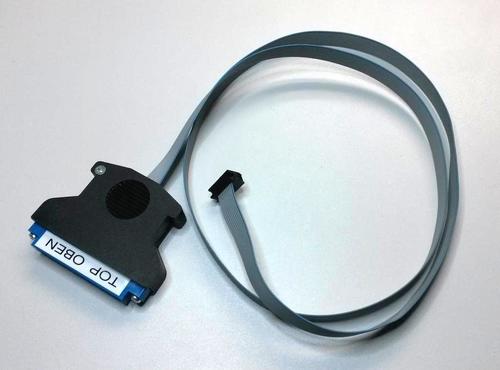
c64'ün user portu ile 1541'deki Dolphin Dos kartını birleştiren paralel kablo:
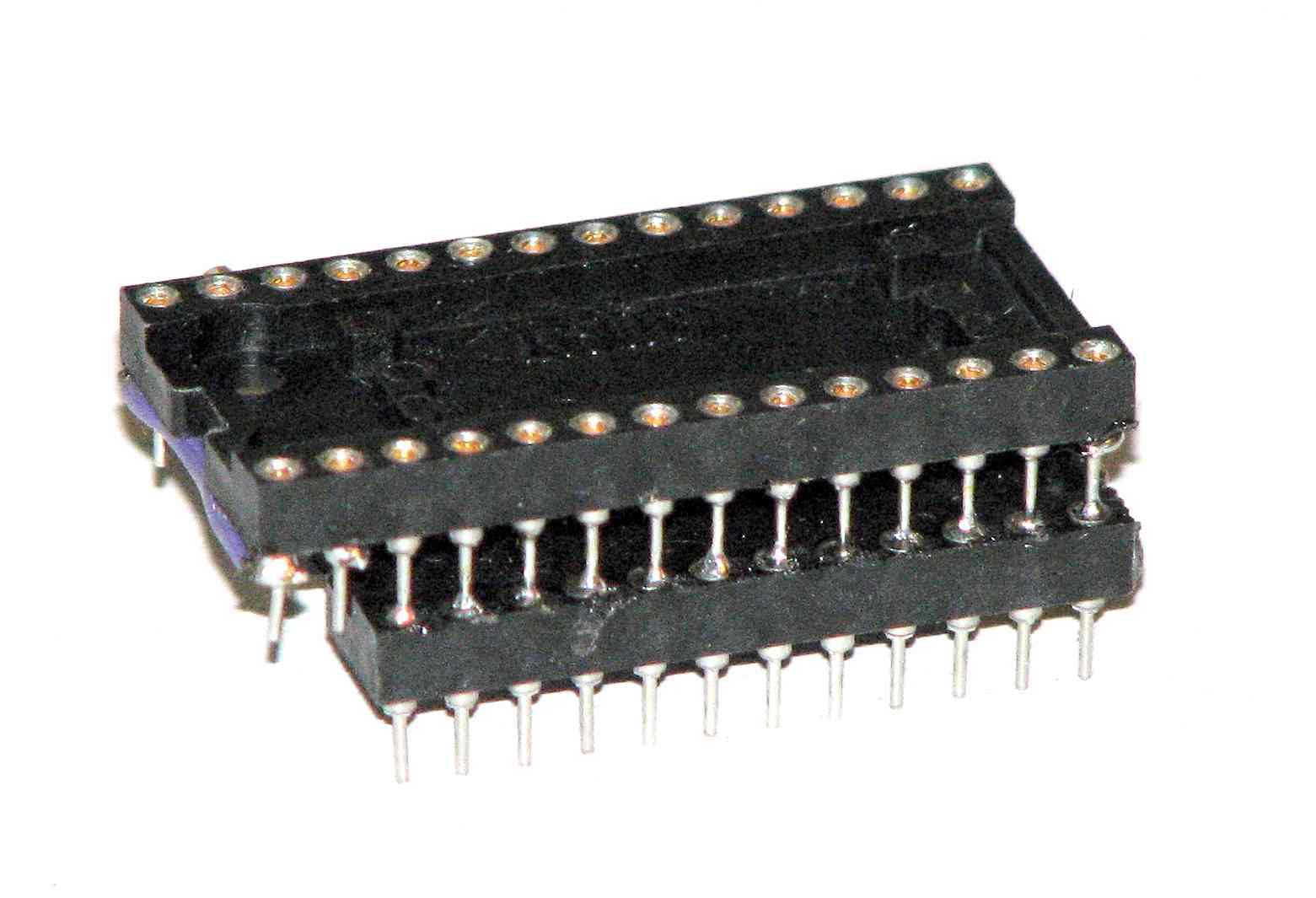
c64'e Dolphin Dos kernal eprom'unu takmak için 24pin rom > 28pin eprom adaptörü:
Silver Dream'im sitesinde Dolphin Dos ile ilgili ayrıntılı bilgiler, dökümanlar var. Şöyle bir özet yapayım:
HIZ
----
LOAD 202 block program in 5 secs. (5.9 inc. SEARCH)
SAVE 202 block program in 10 secs. (includes VERIFY)
LOAD SEQ files at 10x normal speed
SAVE SEQ files at 8x normal speed
LOAD and SAVE REL files at 3x normal speed
Fast FORMAT 35/40 tracks in less thatn 20 secs
Or in 12-13 secs without verify
SCRATCH and VALIDATE etc. 6x normal speed
F TUŞLARI
-------------
F1 LIST(RETURN)
F2 SYS$0 (JUMP TO MONITOR)
F3 RUN(RETURN)
F4 VERIFY(RETURN)
F5 LOAD"0:*",8,1(RETURN)
F6 SAVE"@:(ADD PROG NAME AND RETURN)
F7 DISPLAY DIRECTORY
F8 @X(RETURN)
DİSK KOMUTU GÖNDERİMİ
--------------------------------
@S:PROG1 (RETURN) will scratch a file named PROG1
@I " will initialise drive
@V " will validate disc
@$ " displays directory
@N:NAME,ID " formats disc
@N:NAME,ID+ " formats with 40 tracks (749 blocks)
YENİ DİSK KOMUTLARI
--------------------------
@XL:FILENAME This will scratchprotect (LOCK) a file.
@XU:FILENAME This will perform the opposite of scratchprotect (UNLOCK).
@X9",8 (same as @X9",8,0) This will change the device address to 9
...
EKRAN EDİTÖRÜ
--------------------
CTRL B cursor to bottom of screen
CTRL G cursor 20 columns forward
CTRL L delete line left of cursor
CTRL K delete line right of cursor
CTRL @ displays drive status
CTRL D displays directory
CTRL A repeat for all keys on/off
CTRL * hardcopy of textscreen to printer
CTRL V initialise videocontroller
CTRL X turn off FUNCTION keys
CTRL & turn on FUNCTION keys
CTRL DEL reads text to buffer, deletes it on screen but not in memory.
C= DEL fetches text from buffer and displays it on screen. Press RETURN to change the lines in memory.
MAKİNE DİLİ MONİTÖRÜ
----------------------------
The monitor is started either with SYS0, if there is no other monitor active, or directly with SYS$F (=SYS$F000). It displays the registers...
SR AC XR YR SP PC NV-BDIZC
,; 32 00 FF 00 F9 F2BC 00110010
SR is the flags in hexadecimal. Registers can be changed by overwriting them. The status flags have to be changed hexadecimal on SR. PC cannot be changed, however this does not matter as you have to enter an address with the go command.
M ADDRESS
Displays 8 bytes in HEX and ASCII starting with address.
A ADDRESS
Displays 32 bytes in ASCII.
You can then scroll through memory with C= F3 or back with C= F5. Change from HEX to ASCII and VV. by entering simply A or M
W ADDRES TEXT
Writes the ASCII-TEXT to address.
@ COMMAND
Send disc commands, display directory etc.
L FILE"2000
LOADs "FILE" at address $2000. If you omit the address, the program is loaded at the stored start address, you can also omit the ".
V FILE"2000
VERIFYs "FILE" at address $2000. If you omit the address, the program is loaded at the stored start address, you can also omit the ".
S FILE"2000
SAVEs file to standard device from $2000 to $BFFF. If you wish to save to drive 9 change the device with @9.
G ADDRESS
Jumps to address, takes stored registers.
X
Return to BASIC
EK BASIC KOMUTLARI
-------------------------
&NUMBER will display the number in HEX and decimal. The number can be in HEX decimal, or be a variable.
&* will restore a BASIC program after NEW or reset. Often known as an "OLD" command.
& alone will restore the old function key commands.
RESET/RESTORE İLE TUŞ KOMBİNASYONLARI
-------------------------------------------------------
RESET and SPACE when pressed simultaneously will auto start modules or programs at $8000 (CBM80)
RESET and RUN/STOP performs warm start like RUN/STOP RESTORE, BASIC programs are still in memory.
RESET and Q is similar to RESET and RUN/STOP but the hardware vectors are not changed. Monitors stay initialised.
RESET and 1 will the memory with zero.
RESET and CTRL jumps in to active monitor.
These commands also work with RESTORE. In fact RESTORE and CTRL has the advantage that the correct PC is displayed which is useful for debugging.
Dolphin Dos 2'yi yaparım diyordum, png olarak şeması, pcb bastırmak için gerber dosyaları, c64 ve 1541 için rom imajları Silver Dream'in Dolphin Dos 2 sayfasında mevcut.
http://e4aws.silverdr.com/projects/dolphindos2/DolphinDOS 2 rev.2d pcb:

Diy kit:


 Commodore
